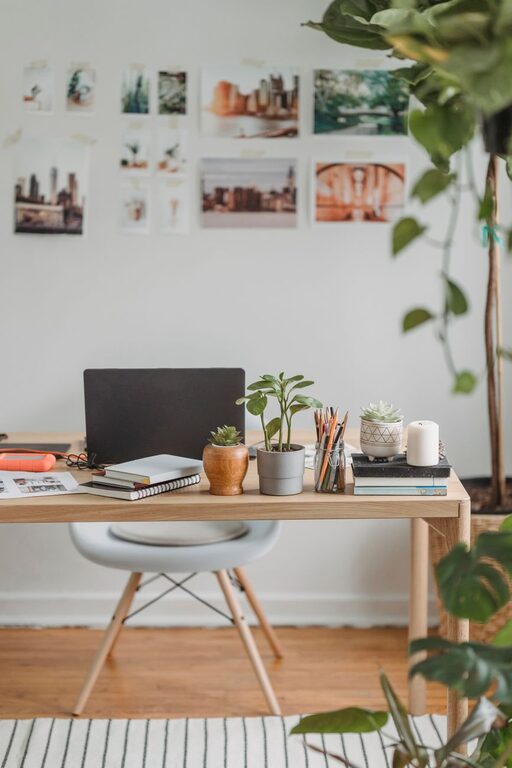

Creating a home office that is both cozy and functional can greatly improve your work-from-home experience. Whether you’re setting up a dedicated room or carving out a small corner, thoughtful design can help you stay productive while enjoying comfort. In this post, we’ll explore practical tips to help you design a home office space where you’ll want to spend your time.
Choose the Right Location
Selecting the right spot for your home office is the first step in creating an effective workspace.
– Natural Light: If possible, pick a space near a window. Natural light can improve mood and reduce eye strain.
– Quiet Area: Choose a spot away from household traffic and noise to minimize distractions.
– Space Availability: Consider how much room you need for your desk, chair, and any other equipment or storage.
Invest in Ergonomic Furniture
Comfort is key when you’re spending long hours working.
– Ergonomic Chair: Select a chair with adjustable height, good lumbar support, and comfortable padding.
– Desk Size: Choose a desk that fits your work tools without feeling cramped. Standing desks or adjustable ones can add flexibility.
– Monitor Placement: Position your monitor at eye level to help prevent neck and back strain.
Personalize with Colors and Decor
Your home office should be inviting and motivating.
– Calming Colors: Soft blues, greens, or neutrals often create a relaxing atmosphere.
– Inspiring Artwork: Hang prints or photos that uplift you.
– Plants: Adding greenery can improve air quality and add a refreshing touch.
– Rugs and Textures: Rugs and cushions can add warmth and softness to the space.
Organize for Efficiency
Clutter can affect focus. Keep your workspace tidy and organized.
– Desk Organizers: Use trays, holders, or desktop organizers to keep pens, papers, and gadgets in place.
– Storage Solutions: Shelves, filing cabinets, or bins help to file documents and store supplies.
– Cable Management: Use clips or cord boxes to keep cables untangled and out of sight.
Lighting Matters
Proper lighting reduces eye strain and keeps you alert.
– Layer Your Lighting: Combine natural light with overhead and task lighting.
– Desk Lamps: Adjustable lamps with warm light can be positioned to reduce glare.
– Avoid Harsh Lighting: Stay away from overly bright or flickering lights.
Incorporate Technology Thoughtfully
Technology can help but also becomes clutter without planning.
– Wireless Devices: Consider wireless keyboards, mice, and printers to reduce cables.
– Charging Stations: Designate a single spot to charge devices.
– Reliable Internet: Make sure your workstation has a strong Wi-Fi connection or use a wired connection for stability.
Add Comfort Features
Comfort encourages longer, more focused work sessions.
– Temperature Control: Use a fan, heater, or adjustable thermostat to maintain a comfortable room temperature.
– Noise Control: Noise-canceling headphones or white noise machines can block distracting sounds.
– Break Area: If space permits, include a small cozy chair or space for stretching and relaxing.
Set Boundaries and Maintain Routine
A functional office isn’t just about the physical space.
– Clear Work Hours: Define when your office is open for work to balance home and business life.
– Signal to Others: Use signs or do-not-disturb indicators if you share your living area.
– Daily Routine: Organize your day with consistent start and end times.
Final Thoughts
Designing a cozy and functional home office doesn’t need to be complicated or expensive. By focusing on comfort, organization, and personalization, you can create a workspace that supports your productivity and well-being. Remember to tailor your home office to what suits your work style and preferences. With a little planning and creativity, you’ll have a home office that feels comfortable and efficient every day.