

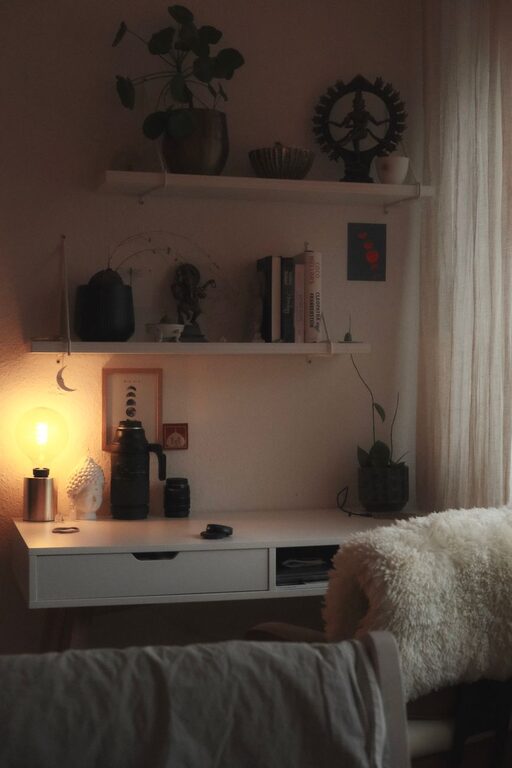
Creating a home office that feels cozy and supports productivity is essential for anyone working remotely or spending time on personal projects. A well-designed workspace can improve focus, reduce stress, and help you separate work life from home life. In this guide, we’ll explore practical tips to help you set up a home office that looks inviting and functions effectively.
1. Choose the Right Location
Consider Natural Light
Start by choosing a spot in your home with ample natural light. A space near a window lets in daylight, which can improve mood and energy. Avoid glare on your computer screen by positioning your desk so the light comes from the side or behind.
Minimize Distractions
Find a quiet corner or room where you can work with minimal interruptions. If space is limited, use noise-cancelling headphones or a room divider to create a sense of separation.
2. Invest in Comfortable Furniture
Ergonomic Chair
Your chair is one of the most important pieces for comfort. Look for an ergonomic chair that supports your lower back and encourages good posture. Adjustable height and armrests add to comfort.
Spacious Desk
Choose a desk with enough surface area for your computer, notes, and other tools. Consider options with built-in storage or cable management to keep things tidy.
3. Optimize Lighting
Combine Natural and Artificial Light
In addition to natural light, include adjustable task lighting, such as a desk lamp with brightness controls. Warm light bulbs create a cozy atmosphere, while cooler tones help you stay alert during focused work.
Avoid Eye Strain
Position lights to reduce screen glare and shadows. Frequent breaks following the 20-20-20 rule (every 20 minutes, look at something 20 feet away for 20 seconds) can also help prevent eye strain.
4. Organize with Functional Storage
Use Shelves and Cabinets
Keep your desk clear by adding shelves or cabinets to store documents, books, and supplies. Vertical storage maximizes space and keeps frequently used items within reach.
Declutter Regularly
A tidy workspace promotes clear thinking. Set aside time each week to organize and remove unnecessary items.
5. Personalize to Make It Cozy
Add Plants
Indoor plants add a touch of nature and improve air quality. Small, low-maintenance plants like succulents or pothos work well in home offices.
Use Soft Textiles
Incorporate soft rugs, cushions, or throws to add warmth to your space. Choose colors and textures that make you feel relaxed.
Display Inspiring Items
Include photos, artwork, or motivational quotes that make your workspace feel inviting and inspire creativity.
6. Manage Technology Efficiently
Invest in Good Equipment
Reliable technology such as a fast computer, quality headset, and a good microphone can improve communication and efficiency.
Keep Cables Under Control
Use cable organizers or clips to keep wires from tangling, reducing clutter and potential hazards.
7. Set Boundaries for Work-Life Balance
Define Work Hours
Even at home, set clear start and finish times to your workday. Communicate these boundaries to family or roommates.
Create a “Shutdown Routine”
At the end of your workday, tidy your desk and turn off work devices. This helps signal that it’s time to switch off and relax.
Conclusion
Designing a cozy and productive home office is about balancing comfort with functionality. By choosing the right location, investing in ergonomic furniture, optimizing lighting, and personalizing your space, you create an environment that supports focus and well-being. Take the time to organize and manage your technology intelligently, and set boundaries to maintain a healthy work-life balance. With these tips, your home office can become a place you enjoy spending time in, helping you stay motivated throughout the day.