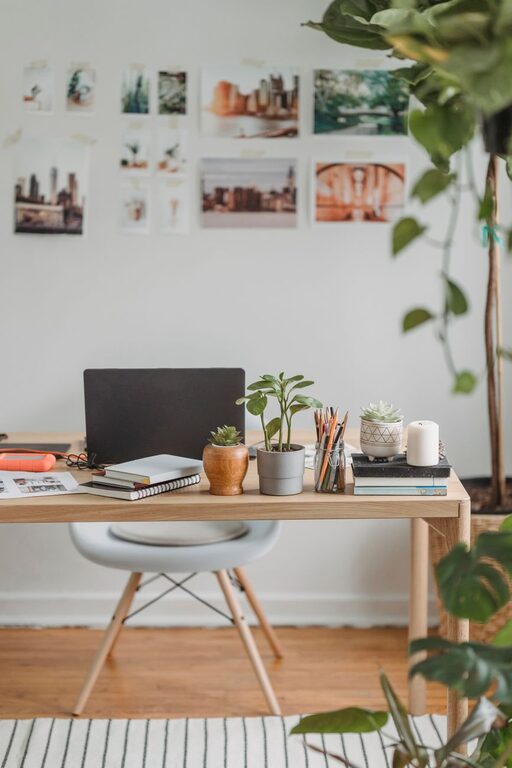
Creating a productive home office space is essential for anyone working remotely or managing tasks at home. A well-designed workspace can improve your concentration, reduce stress, and make your workday more enjoyable. Whether you have a dedicated room or a small corner, there are simple ways to enhance your home office for maximum efficiency.
Choose the Right Location
Selecting the ideal spot for your home office is the first step. Look for a quiet area with minimal distractions. Natural light can greatly improve your mood and energy, so try to position your desk near a window. If natural light isn’t an option, invest in good quality lighting to keep your workspace bright and inviting.
Consider Privacy and Noise
If possible, choose a room or corner away from household noise and traffic. Using noise-cancelling headphones or adding soundproofing elements like rugs, curtains, or even acoustic panels can help reduce sound interruptions. A space where you feel comfortable and focused will increase your productivity throughout the day.
Invest in Comfortable Furniture
Your furniture plays a critical role in your comfort and health. Select an ergonomic chair that supports good posture and helps prevent back pain. A desk with enough surface area to fit your computer, notepads, and other work essentials will keep things organized and within reach.
Ergonomics Tips
– Keep your monitor at eye level.
– Ensure your feet rest flat on the floor or on a footrest.
– Maintain a 90-degree angle between your upper arms and forearms.
– Take short breaks to stretch and change your posture.
Organize Your Workspace
A cluttered space can lead to a cluttered mind. Use storage solutions like shelves, drawers, and boxes to keep your supplies tidy and easy to find. Cable management tools can also prevent cords from tangling and creating a messy look.
Create Zones
Designate specific areas for different tasks, such as a computer zone, a writing area, or a space for brainstorming with sticky notes or a whiteboard. Organizing your space this way can boost efficiency and help you shift smoothly between tasks.
Personalize with Purpose
Adding personal touches to your office can make it a more pleasant place to spend time but avoid overdecorating, which can become distracting. Plants are an excellent choice—they add color, improve air quality, and create a calming atmosphere.
Other Ideas
– Inspirational quotes or artwork
– A calendar or planner displayed visibly
– Comfortable items like a cozy throw or cushion
Set Up Technology for Efficiency
Make sure your internet connection is fast and reliable. Invest in necessary tech accessories such as a quality webcam, microphone, or printer for smoother communication and task management.
Backup and Security
Set up automatic backups for important files and use security software to protect your devices. Organizing digital files with clear folder structures will save time and reduce frustration.
Establish Boundaries and Routine
To maintain productivity, create clear boundaries between work and personal life. Use defined work hours and communicate your schedule to family or housemates. Wearing work clothes instead of pajamas can help create a mental shift into work mode.
Breaks and Movement
Schedule regular short breaks to stand up, stretch, or take a brief walk. Movement helps reduce fatigue and keeps your mind fresh throughout the day.
Maintain Cleanliness
A clean workspace feels inviting and can reduce stress. At the end of each day, spend a few minutes tidying your desk, putting away supplies, and preparing the area for the next workday.
—
By applying these tips, you can create a home office space that supports focus, comfort, and productivity. Remember, your workspace should reflect your personal needs and work habits, making it easier to stay motivated and enjoy your work-from-home experience.