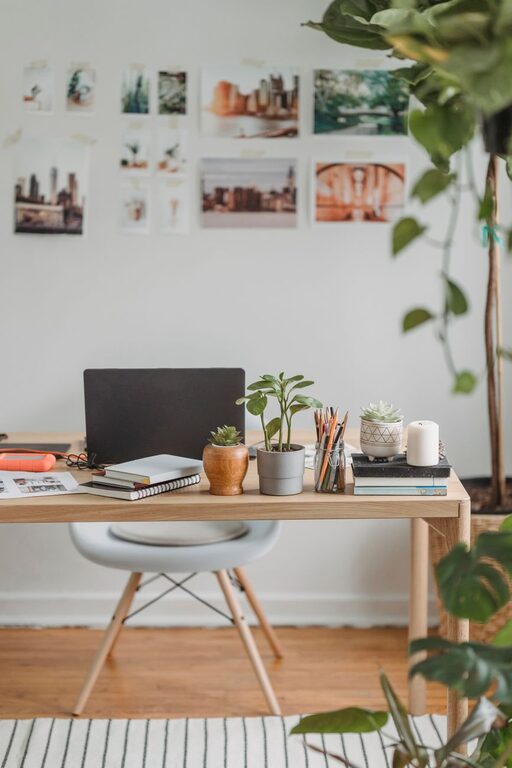

Creating a well-organized home office is essential for anyone who works remotely or spends time completing tasks at home. A tidy, thoughtfully arranged workspace can help reduce distractions, improve focus, and make it easier to stay motivated throughout the day. If you’re looking to boost your productivity, these easy tips will help you set up an efficient and pleasant home office.
1. Choose the Right Location
Selecting a dedicated area for your home office is the first step toward effective organization. Ideally, choose a quiet spot with minimal foot traffic to avoid interruptions. If possible, opt for a space with plenty of natural light, as it can enhance your mood and energy levels. Even a small corner can serve as a productive workspace if set up properly.
2. Declutter and Prioritize Essential Items
A cluttered desk can quickly overwhelm your senses and reduce your ability to concentrate. Start by clearing out everything from your workspace and sorting items into categories: what you need daily, what you need occasionally, and what you no longer need.
Keep only essential items on your desk—your computer, a notebook, a pen, and maybe a few personal touches like a plant or a photo. Store less frequently used items away from your immediate workspace to maintain a clean, distraction-free desk.
3. Invest in Functional Storage Solutions
Effective storage is a game changer when organizing your home office. Use shelves, filing cabinets, or storage boxes to keep papers, office supplies, and gadgets neatly arranged. Label containers and folders clearly so you can find what you need quickly.
Consider vertical storage options to save floor space and keep your area open and inviting. Desk organizers such as trays and drawers can also help separate small items like paper clips, sticky notes, and chargers.
4. Optimize Your Desk Setup for Comfort and Efficiency
An ergonomic setup not only improves your comfort but also helps maintain your productivity during long working hours. Make sure your chair supports good posture and your desk is at the right height.
Place your monitor at eye level to avoid neck strain, and arrange frequently used items within arm’s reach to minimize movement. Using a keyboard tray can free up desk space and improve wrist positioning.
5. Manage Cables and Electronics Tidily
Cables and electronic accessories can quickly create visual clutter. Use cable organizers, clips, or sleeves to bundle and hide cords. Wireless devices like keyboards, mice, and headphones reduce the number of cables you need to manage.
Strategically place your charging stations and power strips so they are accessible but don’t take up prime desk space.
6. Create Zones Within Your Office Space
If your home office is large enough, consider designating different zones for various activities. For example:
– A computer workstation for focused work
– A reading or brainstorming nook with a comfortable chair or whiteboard
– A filing and storage area
Organizing your space into zones helps structure your workflow and keeps different tasks separated.
7. Utilize Wall Space for Inspiration and Organization
Walls often go unused but can be very helpful. Hang a bulletin board, whiteboard, or calendar to keep track of your schedule and important notes. Use shelves to store books or decorative items that inspire you.
Adding motivating artwork or plants on your walls can also create a positive atmosphere that encourages productivity.
8. Establish Daily Tidying Routines
Keeping your home office neat over time requires consistency. Spend a few minutes at the end of each day clearing your desk, filing paperwork, and resetting your space for the next day. This simple habit prevents clutter from building up and helps you start each workday with a fresh, organized environment.
9. Personalize Your Space Thoughtfully
Personal touches make your home office more inviting and comfortable. Choose items that uplift your mood without contributing to clutter. A small plant, artwork, or meaningful objects can create a pleasant atmosphere while keeping your space professional.
Avoid overcrowding your desk with too many personal items, as this can become distracting.
10. Use Technology to Stay Organized
Take advantage of digital tools to manage your tasks and reduce physical paperwork. Apps for note-taking, scheduling, and project management can streamline your workflow and keep your desk free from stacks of paper.
Scanning important documents and storing them digitally can also save space and improve accessibility.
—
Organizing your home office can significantly improve your productivity and enjoyment while working from home. By choosing the right location, minimizing clutter, optimizing your workspace, and maintaining daily routines, you create an environment where focus and creativity thrive. Use these tips as a starting point to build a home office that works best for you.